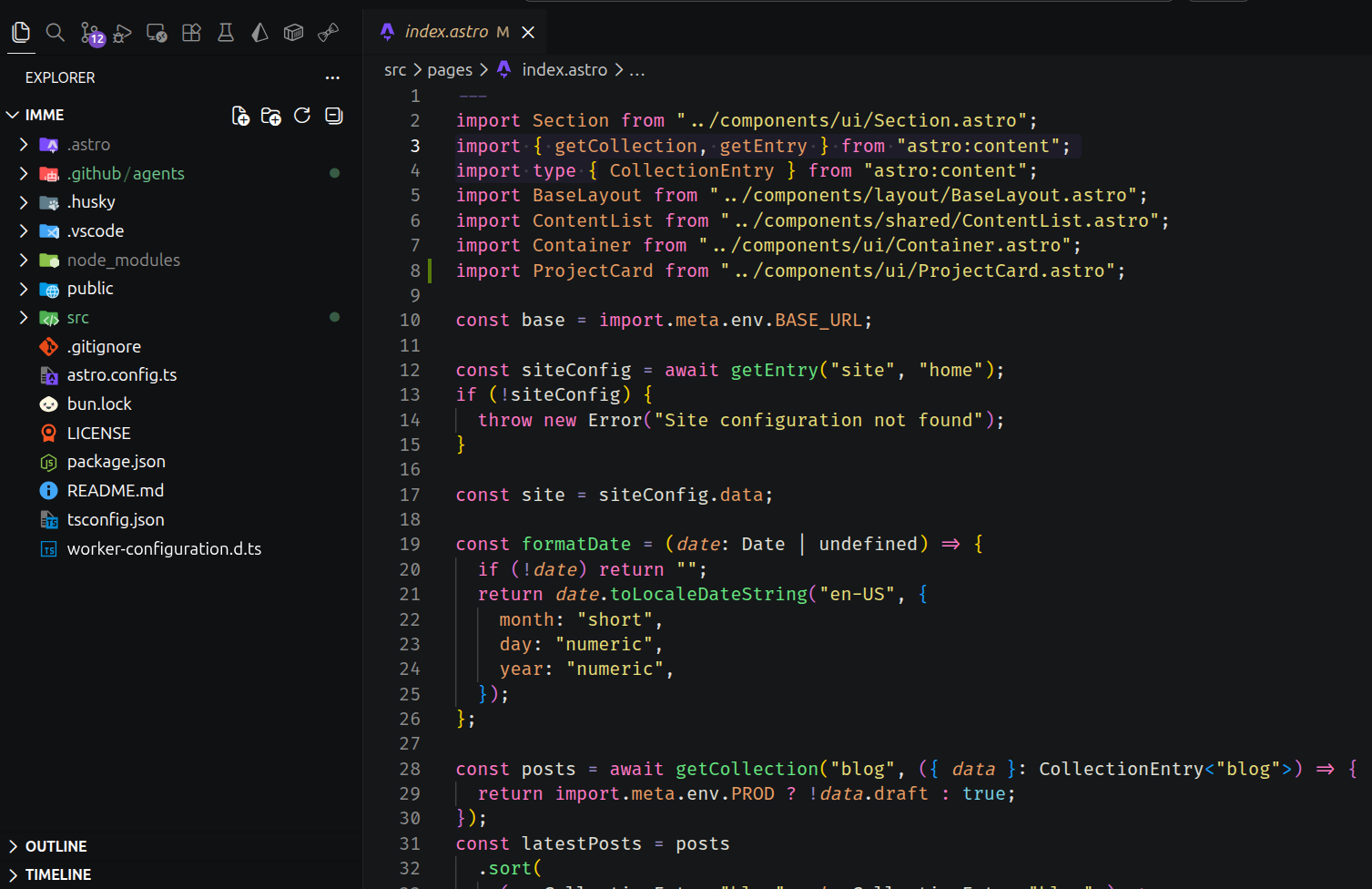
Zux Theme
A modern Visual Studio Code theme featuring a sleek dark-purple palette, designed for optimal readability and reduced eye strain. Zux Theme brings vibrant syntax highlighting and a stylish interface, making coding sessions more enjoyable and visually appealing. Perfect for developers who appreciate a bold, elegant look in their editor.
Overview
Zux Theme is a custom Visual Studio Code theme built from scratch, featuring a dark-purple palette carefully crafted for long coding sessions. Every color token was chosen to balance contrast, readability, and aesthetics.
Key Features
- Dark-purple palette: A cohesive, eye-friendly color scheme with purple as the primary accent
- Optimized readability: High contrast between foreground and background without harsh brightness
- Vibrant syntax highlighting: Distinct colors for each language token type — variables, functions, keywords, strings, and types each have unique, recognizable hues
- Reduced eye strain: Low-luminance backgrounds with carefully adjusted saturation levels
- Wide language support: Tested across TypeScript, JavaScript, Python, Rust, HTML, CSS, and more
Design Philosophy
The theme follows three core principles:
- Semantic color mapping — Each token type has a consistent color across all languages. A function call looks the same in TypeScript and Python.
- Depth through contrast — UI elements (sidebars, tabs, panels) use subtle background variations to create visual hierarchy without distracting from code.
- Accent restraint — Purple is used sparingly for cursor, selection, and active borders. The code itself remains the focal point.
Color Palette
| Token | Color | Usage |
|---|---|---|
| Background | #1a1a2e | Editor background |
| Foreground | #e0e0e0 | Default text |
| Purple accent | #bb86fc | Keywords, active borders |
| Green | #4ec9b0 | Strings, template literals |
| Blue | #82aaff | Functions, methods |
| Orange | #f78c6c | Numbers, constants |
| Yellow | #ffcb6b | Classes, types |
| Pink | #f07178 | Variables, parameters |
| Cyan | #89ddff | Comments, docstrings |
How It’s Built
VS Code themes are defined as JSON color contributions in a VSIX package. The theme was created by:
- Defining
tokenColorsrules for TextMate grammars in a.jsontheme file - Packaging as a VSIX extension with an
activationEvents: "onStartupFinished"trigger - Publishing to the VS Code Marketplace via
vsce publish
The build pipeline uses a PowerShell script to automate version bumping and publishing:
# Increment version and publish
vsce publish patch
Distribution
The theme is published on the Visual Studio Code Marketplace and can be installed directly from VS Code’s extensions panel by searching “Zux Theme.”
Design Decisions
| Decision | Rationale |
|---|---|
| Purple as primary accent | Less common than blue/green themes; stands out while remaining easy on the eyes |
| Semantic token colors | Ensures consistency across languages — a function looks the same everywhere |
| Low-luminance background | Reduces glare and eye strain compared to pure black or bright themes |
| VS Code TextMate tokens | Universal grammar format supported by all major editors, not just VS Code |